Cvent Events5.56.4
Publisher Description

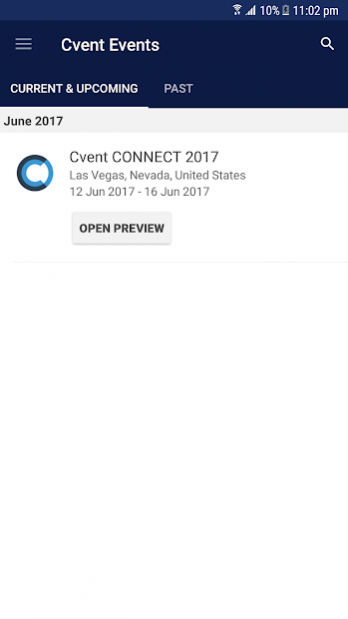
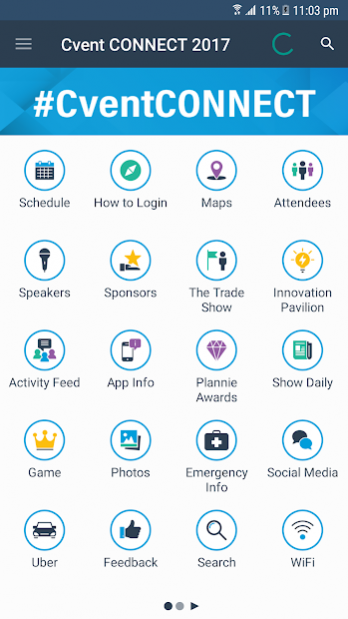
Download the official conference app for all Cvent Events, including Corporate Meetings Summit, Association Meetings Summit, Group Business Forum and more.
With just one app download, you’ll have access to all of Cvent’s conference content, with features including:
• Agenda – Access your complete conference schedule, power talks, special sessions, speaker bios, and presentations, videos, photos and more.
• Social Networking – Interact with conference faculty, engage with other attendees, exhibitors, and business partners.
• Navigate – Find your way around the venues with interactive maps with session and sponsor locations, one-on-one areas, lounges, food stations, and inspiration pavilions.
• Sponsors – Learn more about event sponsors, and get contact information of all major partners.
• Personalization – Document your own notes, select personal favorites, and create a custom profile to share with other attendees.
• Conference Extras – See a list of award nominees, get daily news and updates along with general venue information.
About Cvent Events
The company that develops Cvent Events is CrowdCompass by Cvent. The latest version released by its developer is 5.56.4.
To install Cvent Events on your Android device, just click the green Continue To App button above to start the installation process. The app is listed on our website since 2020-01-11 and was downloaded 22 times. We have already checked if the download link is safe, however for your own protection we recommend that you scan the downloaded app with your antivirus. Your antivirus may detect the Cvent Events as malware as malware if the download link to com.crowdcompass.appWClzT5wkft is broken.
How to install Cvent Events on your Android device:
- Click on the Continue To App button on our website. This will redirect you to Google Play.
- Once the Cvent Events is shown in the Google Play listing of your Android device, you can start its download and installation. Tap on the Install button located below the search bar and to the right of the app icon.
- A pop-up window with the permissions required by Cvent Events will be shown. Click on Accept to continue the process.
- Cvent Events will be downloaded onto your device, displaying a progress. Once the download completes, the installation will start and you'll get a notification after the installation is finished.
Program Details
System requirements
Download information
Pricing
Version History
version 5.56.4
posted on 2020-01-11
What's new in this release?
-California residents can now tap "Do Not Sell My Personal Information" for the event planner's opt-out form.
-Featured sessions now conveniently appear in a relevant order on Dynamic Event Guide.
-Check out featured speakers in their new gallery view on Dynamic Event Guide.
-Dynamic Event Guide is now translated for all supported languages.
-Using a tablet? Activity Feed will now show up better on your device.
version 5.55
posted on 2019-12-20
What's new in this release?
-Does everyone at your event have the same schedule? Then no need to add sessions to My Schedule before using Dynamic Event Guide. We automatically show you what's up next!
-On Dynamic Event Guide, featured speakers now conveniently appear in the order they're speaking in.
-Some events may require login before viewing and interacting with the activity feed.
version 5.54.2
posted on 2019-12-02
What's new in this release?
-If you're hidden, we give you a quick button to go visible when you're trying to use the activity feed.
-The "Up Next" card appears on Dynamic Event Guide when you have a session or appointment coming up in the next 24 hours.
-We removed the event banner from Dynamic Event Guide so you'll see the most important information first.
-We'll notify you about your registration status when you update your registration for a limited-capacity session.
version 5.53
posted on 2019-10-29
What's new in this release?
-See your new contacts and export them directly from the Dynamic Event Guide.
-Session polls become available after the session starts.
-Planners can appoint others to test polls before sessions.
-Profile editing is now conveniently located in the Profile tab menu.
-All of your appointments, sent or received, will now appear on the appointments list.
version 5.51
posted on 2019-09-06
What's new in this release?
-Increased privacy by limiting ability to take screenshots
-More color customization options for planners
version 5.50
posted on 2019-08-09
What's new in this release?
-Bug fixes and enhancements to improve the overall attendee app experience.
version 5.46.1
posted on 2019-06-07
What's new in this release?
-The "Up Next" section of Dynamic Event Guide encourages you to log in and plan your day.
-We added company names to the featured speakers section of Dynamic Event Guide.
version 5.23.01
posted on 2018-02-08
We’re continuously improving your mobile event experience to help you better engage with event content, exhibitors and other event attendees.
Here’s what’s changed in this release:
* The set of game achievements for each event can be customized by the planner by category, order and number of achievements required to earn points.
version 5.1.1
posted on 2016-09-26
Bug fixes and new enhancements
